Care coordination for patients seen by many doctors
The patient's medical file, organized and ready for the doctor.
MedCoord gathers a patient's documents from every specialty, builds the complete medical timeline, keeps medication and alerts in check, and prepares a clear summary for the physician. You review everything before it leaves.
- It does not diagnose: you decide
- The AI only sees anonymized text
- In Romanian and English
One patient, many doctors, a pile of papers.
Every specialist sees one piece of the story. Results sit in folders, medication changes get lost between visits, and each appointment starts from zero. MedCoord keeps the whole story in one place, in order, ready to hand over.
Everything the patient's care needs, in one place
From the first scanned document to the summary the physician reads before the visit.
Documents from a photo
Photograph or upload lab results, discharge letters, imaging reports and prescriptions. The text is read automatically.
AI proposals you confirm
MedCoord reads each document and proposes the events, medication, alerts and values it contains. Nothing enters the file until you confirm it.
The complete timeline
Every consultation, investigation and procedure across specialties, in one chronological journey. Export future appointments to your calendar.
Medication and alerts
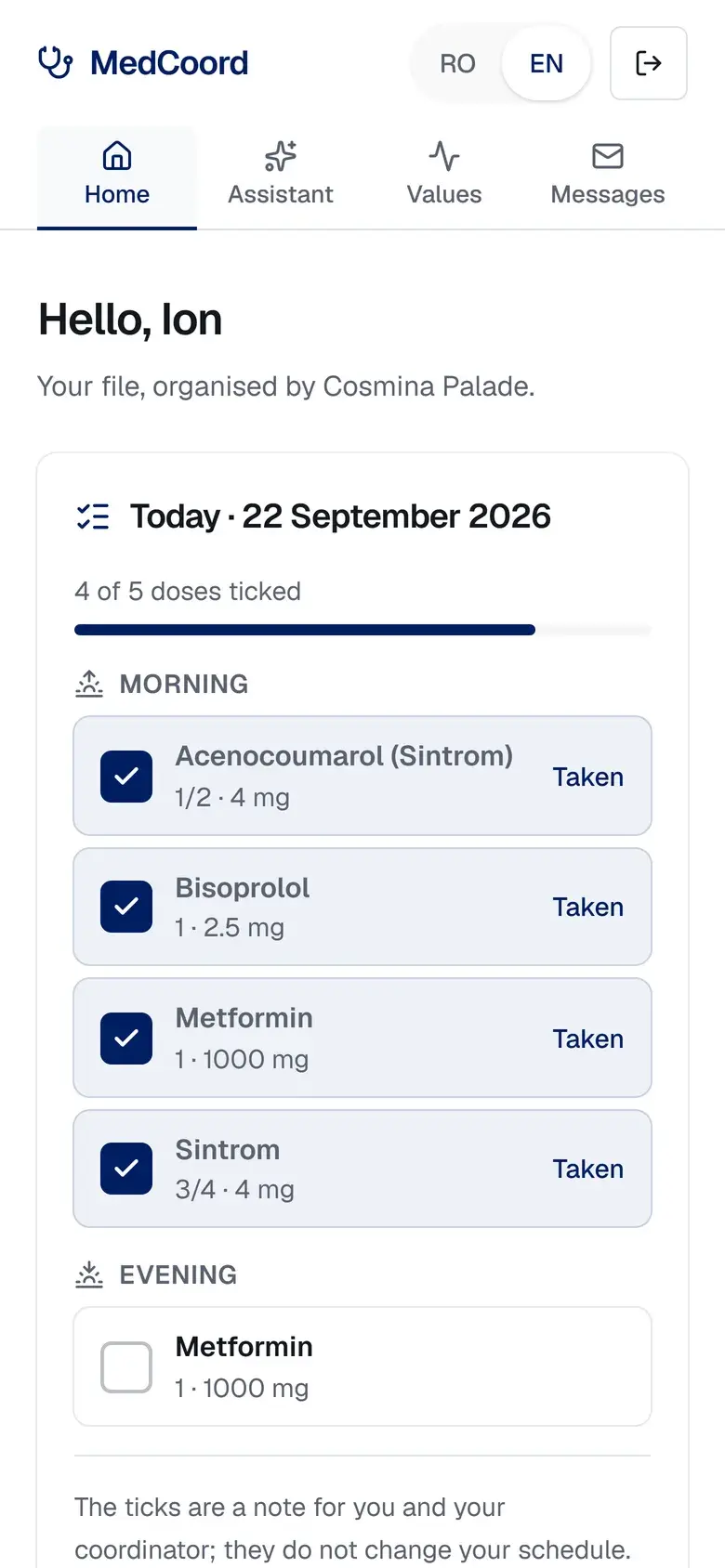
The current schedule, morning, noon and evening, with allergies and critical alerts always in sight.
Automatic checks
Flags contradictions before they cause harm: the same drug twice, an anticoagulant without a recent INR, a medication that should have stopped.
Monitoring and reminders
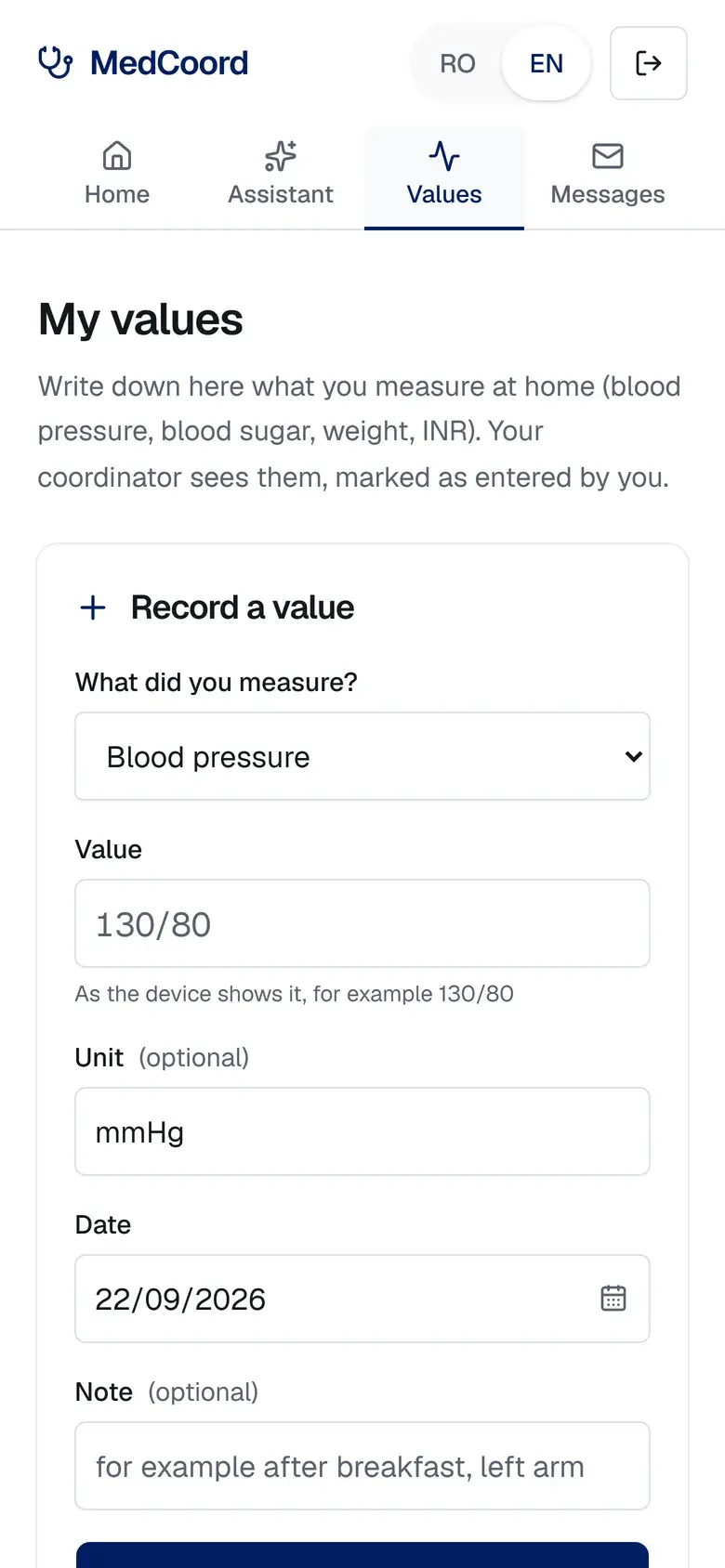
INR, glucose, blood pressure and other values with reference ranges and trend charts, plus a reminder when a check is due.
Summary for the physician
A structured medical summary drafted for you, which you edit and approve. Four ready-to-print PDFs: summary, journey, medication schedule, complete file.
Secure sharing
Send a physician a read-only link that expires and can be revoked at any time. Work on the same file with colleagues, as editors or viewers.
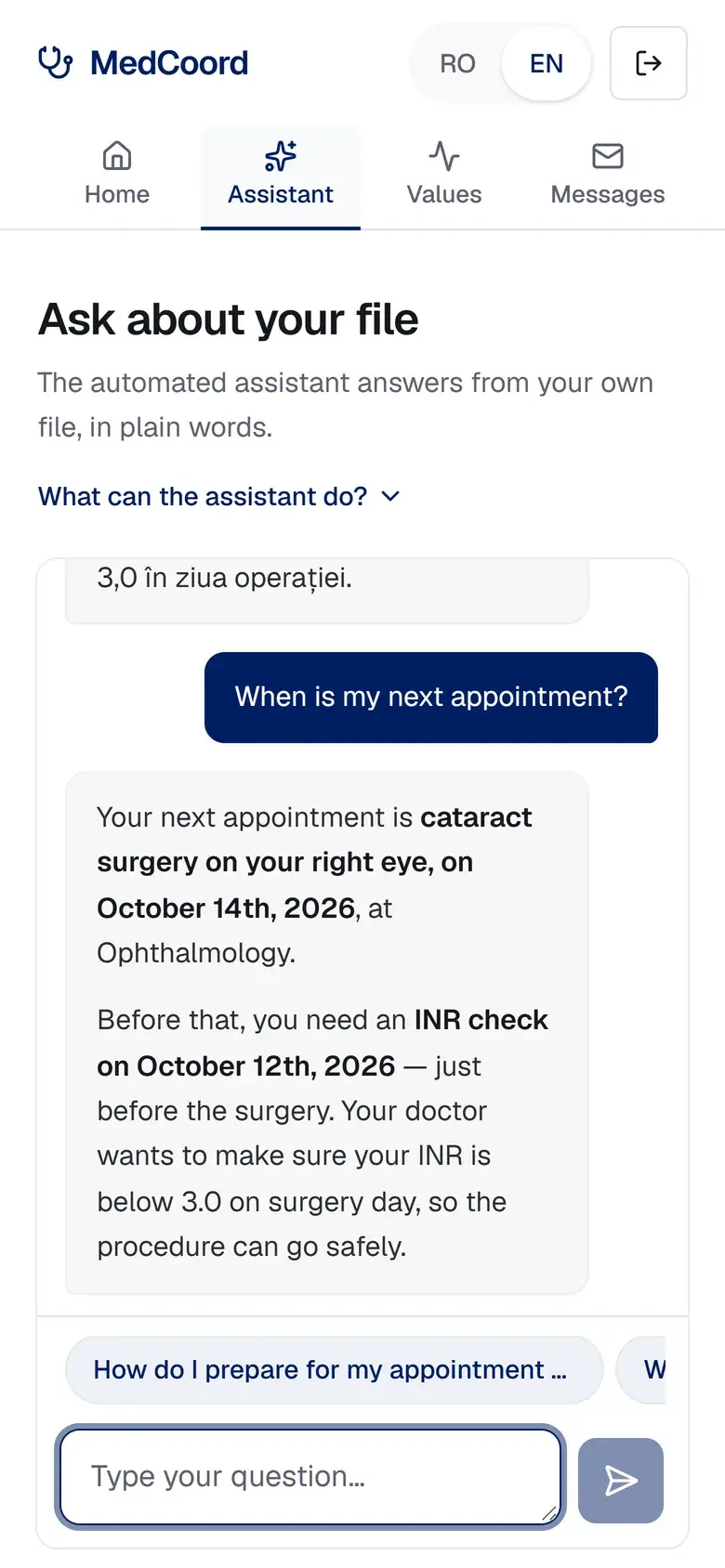
Patient portal and assistant
The patient reads their own file in plain language and asks questions about conditions, medicines and tests. Emergencies are always sent to 112.
How it works
- 1
Upload
Take a photo of a document or upload a PDF, from your phone or computer.
- 2
MedCoord organizes
The text is extracted, events, medication and alerts are proposed, and contradictions are flagged.
- 3
You review and share
Confirm what is correct, then give the physician a clear summary as a PDF or a secure link.
Who it is for
Families and caregivers
You look after a parent seen by many specialists. MedCoord keeps the whole file in order and prepares every visit.
Care coordinators and clinics
Follow many patients as a team: shared files with roles, reminders for what is due, and a log of who accessed what.
Physicians
Receive a clear, structured summary before the visit, through a secure link. No account needed.
See it in action
Real screens from the app, with a fictional demo patient.
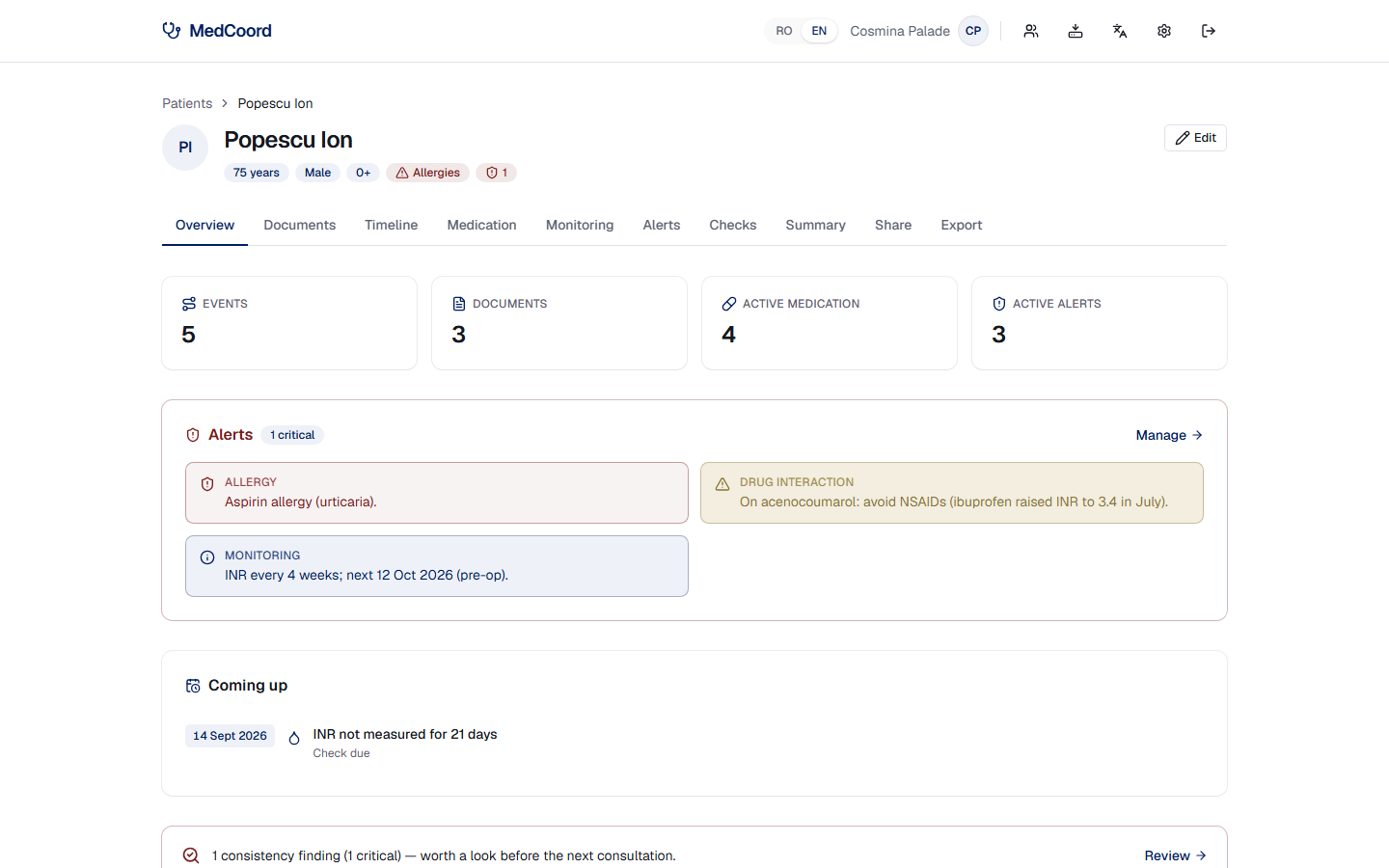
Patient overview: alerts, what is coming up and recent events 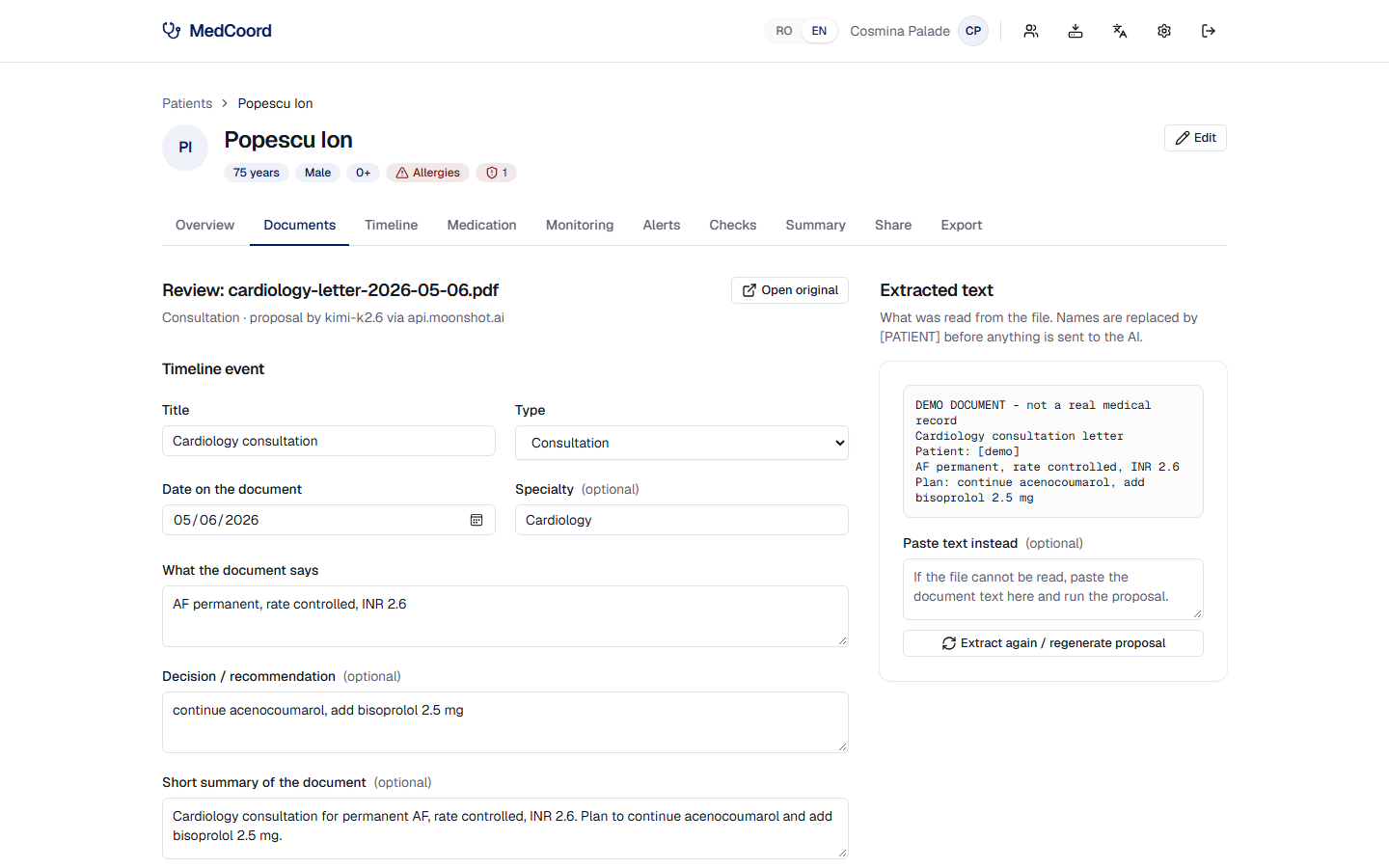
A document read automatically, with the proposal you confirm 
The complete journey across specialties 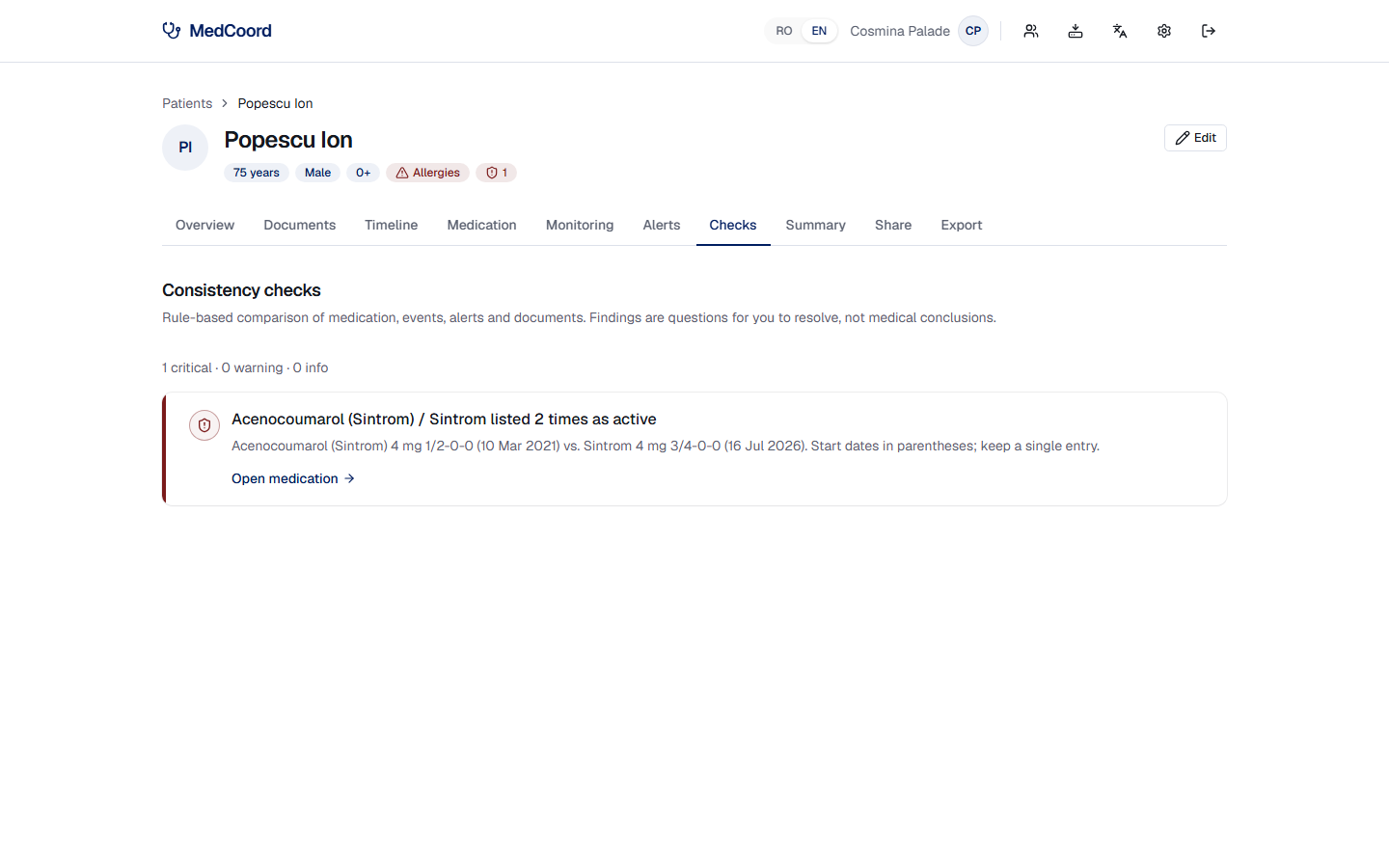
Automatic checks for contradictions 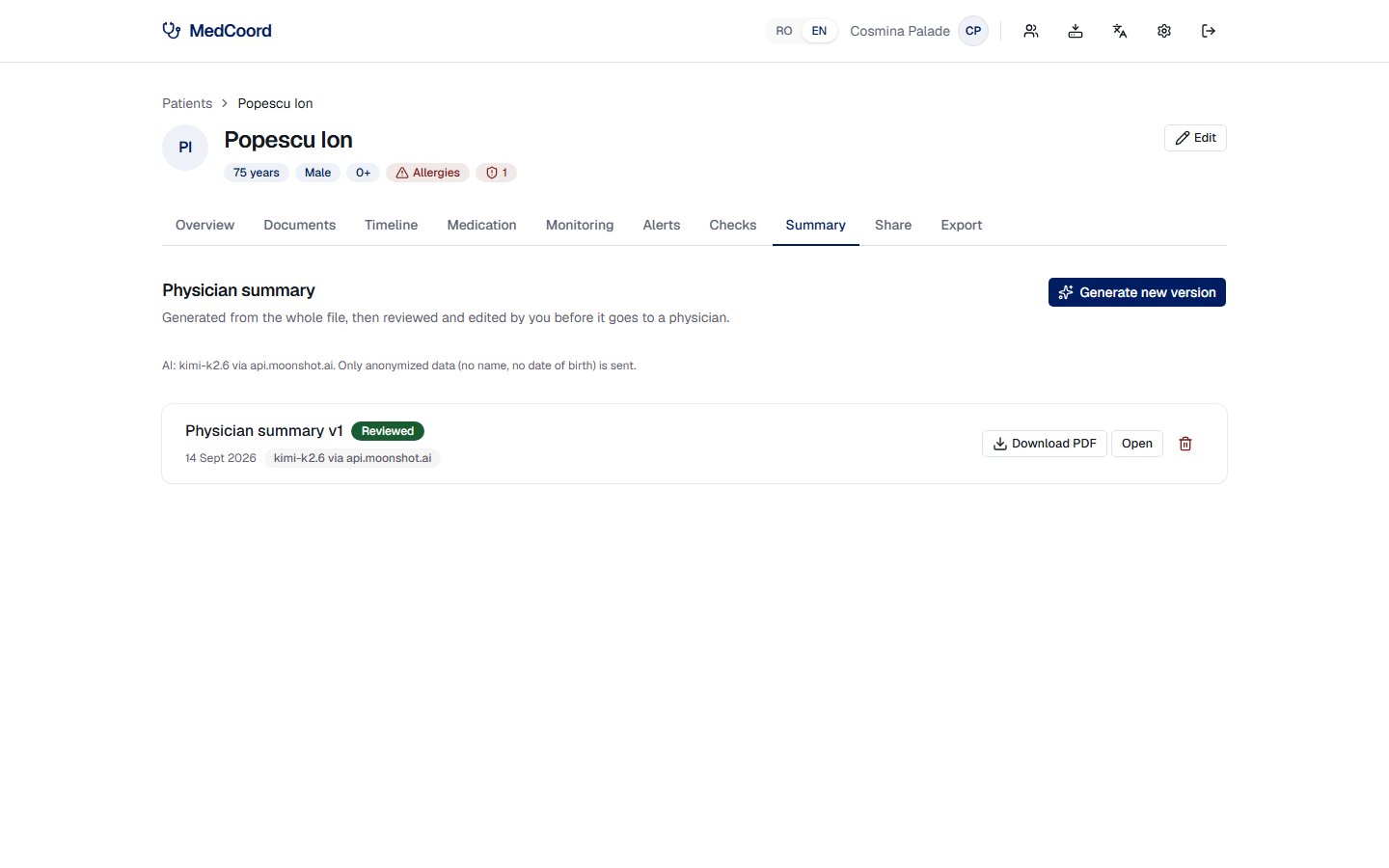
The physician summary, reviewed by you 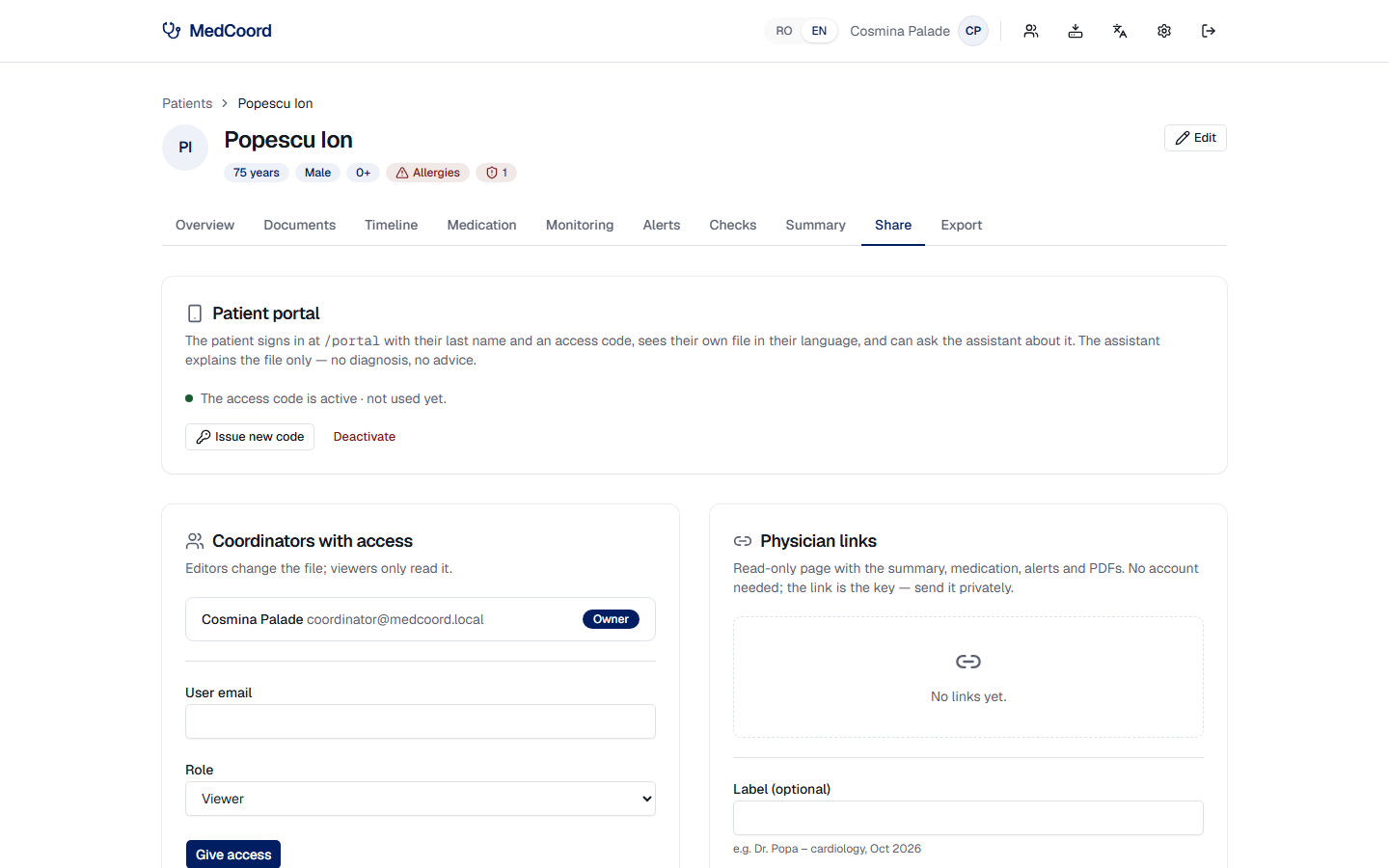
Sharing with colleagues, physicians and the patient
Privacy by design
Health data deserves more than a password. This is how MedCoord protects it.
No passwords to steal
Sign in with a one-time code sent by email. Signing out ends the session on every device.
Anonymized before the AI
Names, dates of birth, ID numbers, phone numbers and addresses are masked before any text reaches the AI service.
Access by role, fully logged
Owner, editor or viewer on each file. Every opening of a file, document or export is written to an audit log.
Links that expire
A physician link lasts only as long as you choose and can be revoked in one click.
Encrypted connection
HTTPS everywhere, with strict browser protection against framing and content sniffing.
Your GDPR rights, built in
Export a complete patient file at any time. Deleting a patient erases the file, the documents and every cached translation.
MedCoord on your phone
Photograph documents, check the medication schedule and open the patient file wherever you are.
Coming soon to Google Play
Until then, open MedCoord in your phone's browser and add it to the home screen: it works like an app.
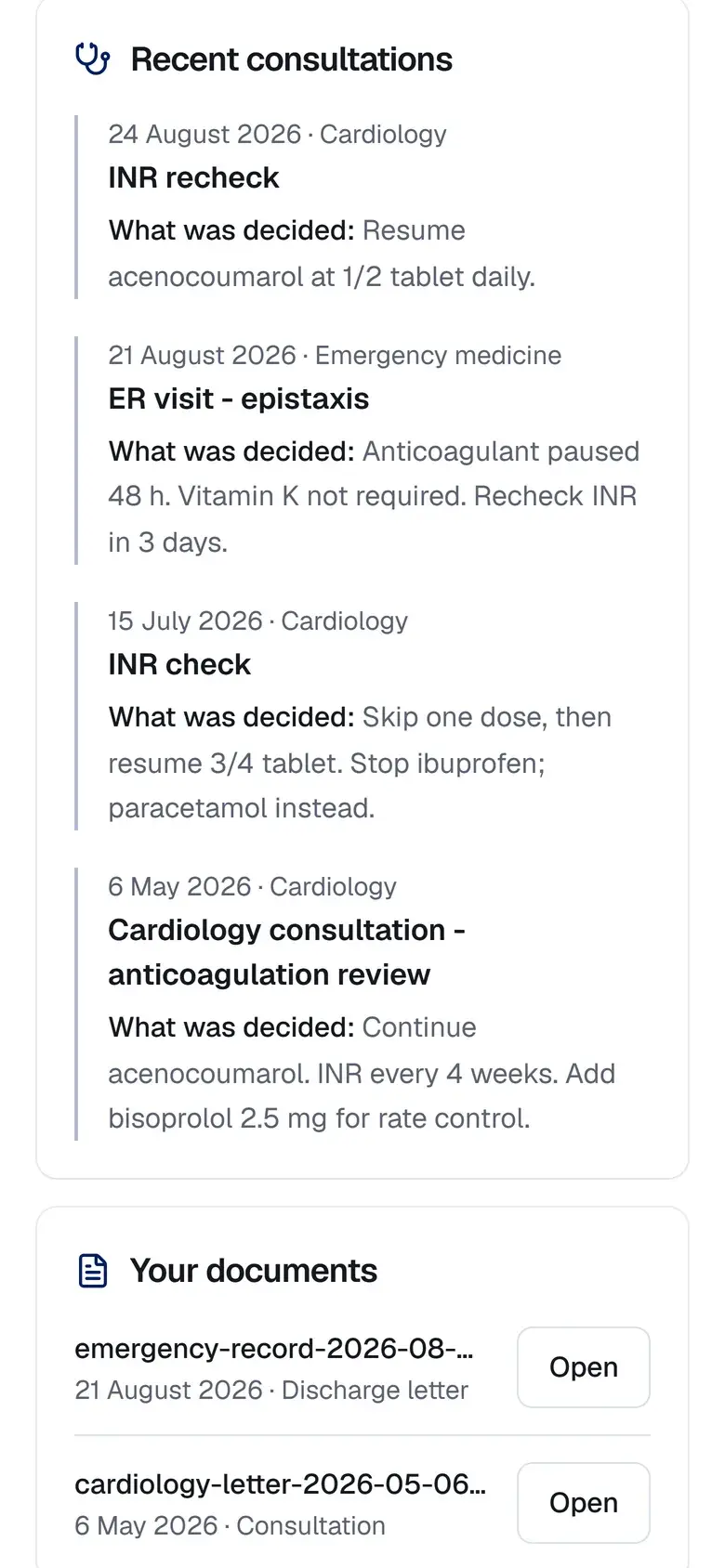
Patients sign in to their own portal with the access code from their coordinator. Patient portal
Frequently asked questions
What families, coordinators and physicians ask before they start.
What is MedCoord?
A care coordination platform for patients seen by many doctors. It gathers the documents from every specialty, builds the complete medical timeline, keeps medication and alerts in check and prepares a clear summary for the physician.
Who is MedCoord for?
Families and caregivers looking after a parent or a relative, care coordinators and clinics that follow many patients as a team, and physicians who want a clear summary before the visit.
How do I organize a parent's medical file?
Photograph or upload each document: discharge letters, lab results, imaging reports, prescriptions. MedCoord reads the text and proposes the events, medication and alerts it finds, and you confirm them. The result is one timeline, with the current medication schedule and the appointments ahead.
Does MedCoord diagnose or recommend treatment?
No. MedCoord is not a medical device. It organizes what the documents say, and every AI proposal is confirmed by a person. The patient assistant never changes a treatment and sends emergencies to 112. Diagnosis and treatment stay with the physician.
How is the medical data protected?
Sign-in with a one-time code sent by email, access by role with an audit log, physician links that expire, and an encrypted connection. Names and identifiers are masked before any text reaches the AI service. The database is in the European Union (Frankfurt), and a patient's file can be exported or deleted at any time.
How do I send the file to a doctor?
Give the physician a read-only link that expires and can be revoked in one click, or print one of the four PDFs: summary, journey, medication schedule, complete file. The physician needs no account.
Does it work on a phone?
Yes. MedCoord works in the phone's browser and can be added to the home screen, where it works like an app. An Android app is coming to Google Play.
Which languages does it support?
Romanian and English. The interface switches with one tap, and the content of the file is translated between the two, so a family abroad and a physician in Romania read the same file.
Can patients see their own file?
Yes, in the patient portal, with the access code from their coordinator: appointments, medication and documents, and an assistant that explains conditions, medicines and tests in plain language.
How do I get access?
MedCoord is preparing for launch and access is by invitation. Fill in the early access form on this page, saying who you are and what you need it for, and we will get back to you.
Request early access
MedCoord is preparing for launch. Tell us who you are and what you need it for, and we will invite you.
MedCoord is not a medical device and does not diagnose. It organizes information and prepares structured summaries that a coordinator or family member reviews, corrects and delivers to physicians.